Claude Code's /design Command for Client Work: Turn an Idea Into a Mockup Before You Quote
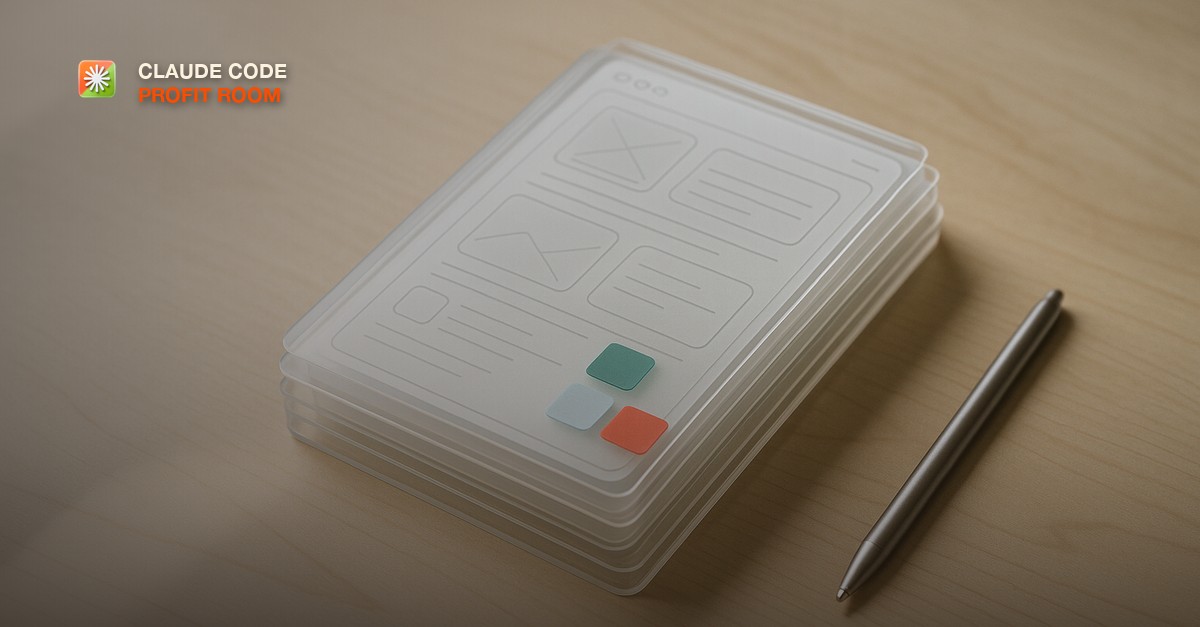
- /design is a Claude Code command in research preview since August 17, 2026: give it an idea, a screenshot, or an existing design, and it returns editable UI artboards built on artifacts, inside both the CLI and the desktop app.
- It runs a pick-tweak-implement workflow. Claude proposes a few interface concepts, you choose one, refine the layout in the artifact, then tell Claude to implement the version you approved as real code.
- It requires Claude Code CLI 2.1.183 or later, or desktop app 1.13576.0 or later, and is available on Pro, Max, Team, and Enterprise plans. Treat it as a fast way to show a client something concrete before you scope or quote, not a finished design deliverable.
What the /design Command Actually Does
Run `/design` and Claude Code hands the conversation off to a design workflow built on artifacts: instead of a wall of text or a code diff, you get one or more visual UI artboards you can look at and click through. It launched as a research preview on August 17, 2026, and works from inside the CLI or the desktop app, which matters for a desktop-app-first way of working: you do not need to leave the terminal mental model to get a visual result.
It requires Claude Code CLI version 2.1.183 or later, or desktop app version 1.13576.0 or later, and is available to Pro, Max, Team, and Enterprise plans. If `/design` does not respond the way described here, the first thing to check is whether the app or CLI has actually updated.
The Workflow: Idea, Screenshot, or Existing Design In, Artboards Out
- Run `/design` and describe what you have: a plain-language idea ('a dashboard for tracking maintenance requests'), a screenshot of a competitor or the client's current tool, or a description of an existing design you want adapted.
- Claude proposes one or more interface concepts as editable artboards, built on the same artifact system used elsewhere in Claude Code, so you are looking at something visual, not reading a description of it.
- Pick the concept closest to what the client needs, or the one that best matches the direction they described on the call.
- Refine the layout directly in the artboard: move a section, change the emphasis, ask for a simpler version. This is still a conversation, not a one-shot generation.
- Once a version is approved, tell Claude to implement it, which hands the approved layout to Claude Code the way any other coding request would, so the visual you agreed on becomes the actual build.
The whole pass happens inside one session. That is the practical difference from mocking something up in a separate design tool and importing it later: there is no handoff, no exported file, no second subscription required for a first pass at what a client's screen could look like.
Why This Matters for Selling Work, Not Just Building It
The gap in most builders' sales process is not the pitch, it is the moment right after the pitch where the client has to imagine what you are describing. [The demo-first close](/blog/the-demo-first-close) already argues that a working thing beats a slide deck. `/design` moves that further upstream: now you can produce a rough but real visual of the client's own request live on the call, before either of you has agreed on a number.
It also strengthens [the outcome offer](/blog/the-outcome-offer): a proposal that includes an actual artboard of the client's dashboard, built from the exact request they described, reads as evidence you understood the job, not a promise you might. Attach it to [a sales page for the build](/blog/write-a-sales-page-for-your-productized-build) and the client is reacting to something specific instead of imagining a generic AI tool.
How to Run a /design Pass on a Discovery Call
- Get the client talking about the screen or workflow they actually want changed before you open Claude Code at all. You need their words, not your interpretation of them, as the input.
- Open `/design` and feed it back in close to their own language, on screen-share if the format of the call allows it.
- Let two or three concepts come back before reacting. The first one is rarely the one worth building on.
- Ask the client which direction feels closest, and refine that one live rather than starting over from a blank prompt.
- Stop there on the call. Do not implement in front of them. Take the approved artboard away, scope the real build against it, and come back with a number.
What /design Is Not, Yet
It is a fast way to generate a starting point, not a finished design system. A research-preview artboard is closer to a clickable sketch than a brand-consistent, componentized interface. If a client needs a full design system with tokens, accessibility passes, and a documented component library, `/design` gives you the first conversation, not the final deliverable.
It also does not replace scoping the build itself. An artboard tells you what the screen should look like. It does not read the client's existing codebase, flag which parts of the request touch fragile systems, or tell you what is genuinely hard to build. That is still the job of [a Plan Mode pass](/blog/claude-code-plan-mode-for-client-work) once you move from 'does this look right' to 'what will this actually take.'
/design vs a Static Mockup Tool vs Hiring a Designer
| Approach | Speed | Best for |
|---|---|---|
| /design in Claude Code | Minutes, live on a call | A first concept during discovery, before scope or price is set |
| A separate mockup tool | Hours to a day | A polished, presentation-ready mockup once the direction is already agreed |
| Hiring a designer | Days to weeks | A full brand system, accessibility work, or a client who needs a named design professional on the engagement |
Where each option fits a client engagement
These are not competing options, they are different stages. `/design` earns its place at the very start of the conversation, when the only question is whether you and the client are picturing the same screen.
Common Mistakes
- Implementing the approved artboard live on the call instead of taking it away to scope, which skips the step where you actually price the build.
- Presenting a research-preview artboard as a finished design, which sets an expectation the feature was never built to guarantee.
- Skipping the discovery conversation and jumping straight to `/design`, which produces a concept built on your guess instead of the client's actual words.
- Treating the artboard as a replacement for a Plan Mode scoping pass on the real codebase, instead of a separate, earlier step in the same sale.
- Not checking the CLI or desktop app version first, then assuming the command is broken when it is actually just out of date.
Inside the Claude Code Profit Room, builders post the actual artboards `/design` produced on a real discovery call, next to what they ended up quoting once the build was scoped. It is $9 a month at https://www.skool.com/claudecodeprofitroom/about, come in with a request you are about to pitch and we will help you turn it into something the client can react to before you ever say a number.
Short, practical drops on offers, outreach, pricing, and closing clients with Claude Code. No spam, unsubscribe anytime.
Frequently asked
What is the /design command in Claude Code?
A Claude Code feature, in research preview since August 17, 2026, that takes an idea, a screenshot, or an existing design and returns editable UI artboards built on artifacts. You pick a concept, refine it, and then tell Claude to implement the approved version as real code, all inside the same session.
Do I need the desktop app to use /design?
No. It works in both the CLI and the desktop app, as long as you are on CLI version 2.1.183 or later or desktop app version 1.13576.0 or later. It is available on Pro, Max, Team, and Enterprise plans.
Can I hand /design output directly to a client as a finished deliverable?
Treat it as a starting point, not a finished deliverable. It is still labeled research preview, and a first-pass artboard is closer to a clickable sketch than a brand-consistent, componentized design system. Say plainly to the client what it is and price any real design or polish work separately from the initial concept.
Does /design replace scoping a build with Plan Mode?
No. /design answers what the screen should look like. It does not read the client's existing codebase or flag which parts of a request are technically difficult. Run a Plan Mode pass on the actual repo once the visual direction is agreed, before you commit to a price.
Last reviewed August 29, 2026.

Co-founder of the Claude Code Profit Room. Went from shipping software to closing paying clients, and now teaches builders the selling half of the equation.
More from David Iya →